
Bambu Lab A1 Combo long-term review: brilliant when it works, but I no longer trust it
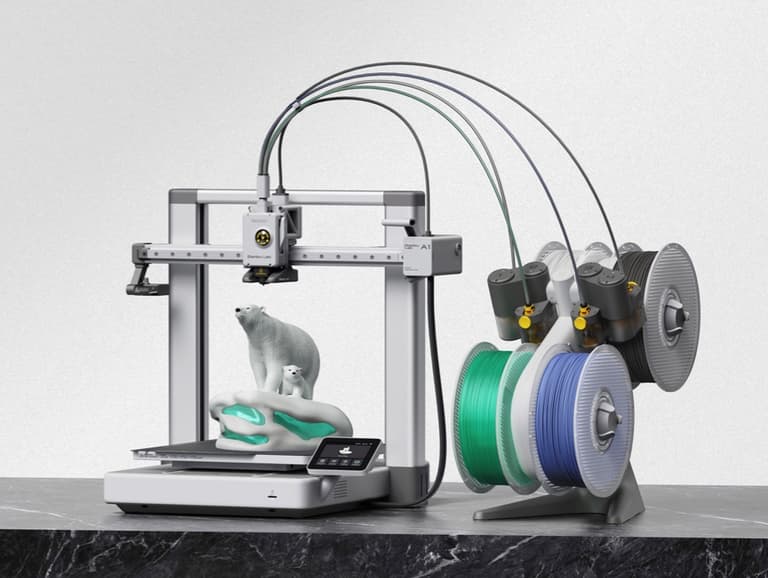
The Bambu Lab A1 made me fall in love with 3D printing. It also came remarkably close to making me give up on Bambu Lab.
That is the awkward contradiction at the centre of this review. When the A1 works properly, it is one of the most enjoyable pieces of technology I have bought in years. It turns a roll of plastic into useful objects, personal gifts and things that previously existed only as ideas on a screen. The software and MakerWorld library remove enough of the traditional friction that a complete beginner can make a genuinely impressive first print.
My experience is not based on printing one Benchy and using the machine for a weekend. I put more than 500 print hours on my original A1. After months of faults, parts and customer-led repairs, Bambu Lab replaced it under warranty. I have since put around another 60 hours on the replacement. That makes this a story about two A1 printers and more than 560 hours of actual use.
The first machine eventually became effectively unusable. Almost every job failed, sometimes for different reasons, and the printer itself replaced the things I wanted to make as the focus of the hobby. By the end I had replaced boards, wiring and internal assemblies, spent £128.64 of my own money on diagnostic and repair-related parts, and learned far more about dismantling an A1 than I ever expected to know.
As an autistic and ADHD owner, the repair process was not merely inconvenient. Repeatedly taking apart an expensive machine, following long technical instructions and worrying about causing further damage created serious anxiety and panic. I told Bambu Lab that I was disabled and no longer comfortable continuing with increasingly complex repairs. For a significant part of the case, the practical answer remained another part for me to fit myself.
The replacement has brought back the print quality I remembered and, with it, some of the original excitement. That has been reassuring because it supports what I believed throughout the failures: the problem was not simply my filament, settings, build plate or inability to use the machine. I enjoy 3D printing again. What has not returned is trust. I still check jobs far too often and I would not willingly leave the house with anything complicated running.
More than 500 hours on the original A1 and around 60 on its replacement
The A1 Combo itself is an accessible starting point for a capable multicolour printer
Repair and diagnostic parts I funded before the warranty process reached a resolution
The printer earns that score despite the support experience, not because of it
The six-week rabbit hole that led me to the A1 Combo
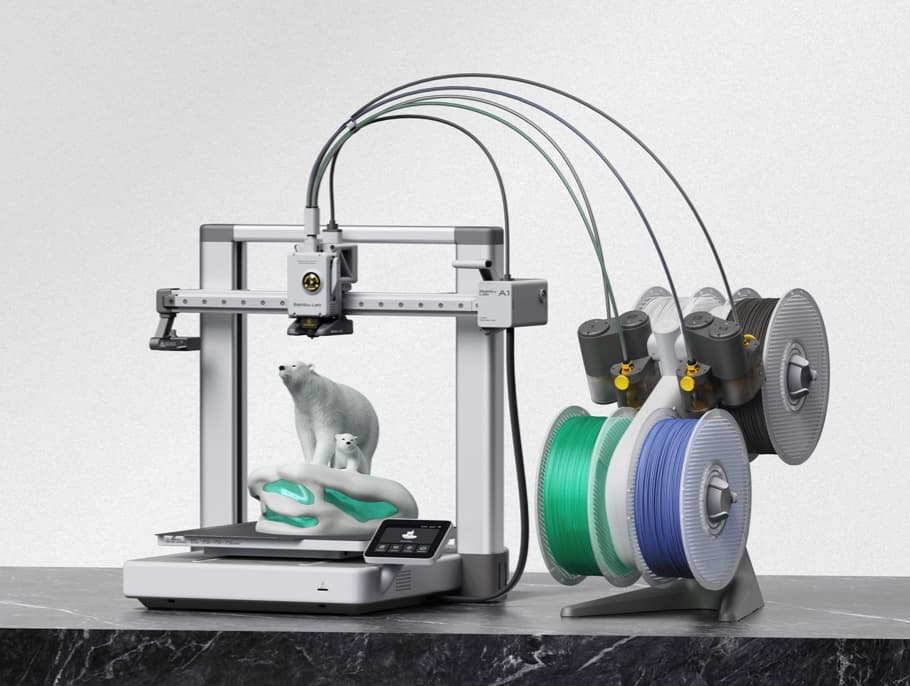
I had been fascinated by 3D printing for years. The idea that you could download or design something on a computer and then physically make it at home seemed incredible. Whenever I looked into buying a printer, though, the machines appeared basic and the process looked like a hobby built around adjusting the printer rather than making anything useful with it.
That changed when I started hearing about Bambu Lab. Its machines were presented as a major step towards making the complete process approachable. The printer, slicer software and model library all belonged to the same ecosystem, with automatic calibration taking care of jobs that had previously looked intimidating. Then I saw the almost ridiculous range of filament colours and finishes available. That was enough to send me down one of my usual research rabbit holes.
For roughly six weeks, 3D printers consumed me. I compared manufacturers, models, features and owner experiences until I was reasonably sure Bambu was the route I wanted to take. I originally had my heart set on the newer P2S with an AMS because its enclosure, camera and more polished appearance appealed to me. It was not available when I was buying around Christmas, so I looked more seriously at the A1 Combo instead.
The A1 offered the multicolour printing I wanted through the AMS Lite, and it appeared capable of producing the sort of results that had caught my attention. More importantly, it was £319 for the Combo I bought, rather than pushing my first experiment with the hobby towards £1,000. In hindsight, starting at the more affordable end was the right instinct. A first printer should help you learn what matters to you before an inevitable upgrade, without leaving you feeling that you have burnt a grand if the hobby does not stick.
From an enormous box to a flawless first Benchy
The A1 arrived a few days into January 2026 in a box that can only be described as enormous. Everything inside was extremely well protected. I already knew some assembly would be required, but seeing the printer, AMS Lite, tubes, cables and fittings spread out in front of me was still daunting.
This was my first experience of something Bambu Lab does very well. Its written setup instructions and step-by-step video guides are excellent. I could pause, compare what was in front of me with the guide and check each connection before moving on.
I probably took several hours over a job that a confident owner could complete much faster. Every cable route, bolt and connection was checked and then checked again. Part of that was anxiety about damaging my first expensive printer. Part of it was pride. If I was going to build the thing, I wanted to do it to the best of my ability.
Before too long it was assembled, connected to my network and linked to my new Bambu account. I chose the little Benchy boat for my first print. It has become a rite of passage in 3D printing, but to me it was still extraordinary. The machine started with a roll of plastic and produced a physical object in front of me.
The finished Benchy looked flawless to my completely new eyes. I was overjoyed. By the time it came off the bed I was hooked, and the rest of that day disappeared into MakerWorld while I tried to decide what to print next.
The real size of the A1 Combo in an ordinary room
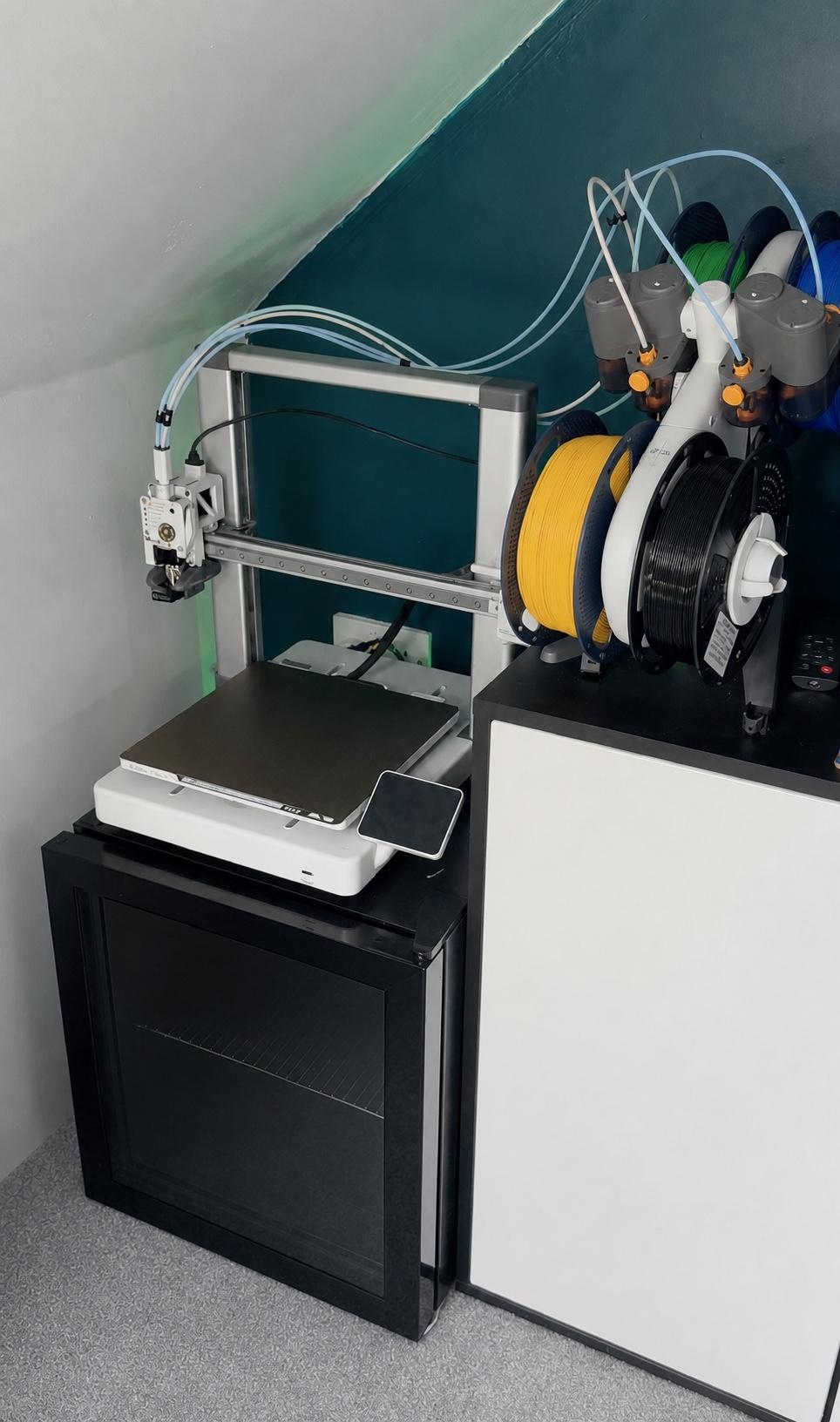
For what it can produce, the A1 itself has a reasonably compact footprint. The official build volume is 256 by 256 by 256mm, which is large enough for an enormous range of practical and decorative projects. The AMS Lite makes the complete setup wider and the four PTFE tubes need space to curve cleanly into the print head, so the word compact needs some context when you are planning where it will live.
The machine also needs a properly stable surface. The bed and toolhead can move at startling speed, and a flimsy table will advertise every movement to the rest of the room. Mine sits across sturdy furniture with the AMS Lite beside it, rather than hanging above the printer as some owners choose to do.
The 3.5-inch touchscreen is simple and perfectly usable. It is not an extravagant interface, but the controls I need are easy to reach. The same description applies to the built-in light and camera. Bambu lists the A1 camera as a low-frame-rate model up to 1080p. It is not the smooth, detailed monitoring system found on more expensive machines, but it is good enough to check whether a print is still attached to the bed or has started producing plastic spaghetti.
The open-frame design has not bothered me because I have mainly stayed with PLA. Bambu itself lists PLA, PETG, TPU and PVA as ideal materials for the A1, while several higher-temperature materials are not recommended. Anyone planning to use materials with more demanding temperature or ventilation requirements should research those needs rather than assuming an open printer beside a window is automatically suitable.
When it felt like living in the future
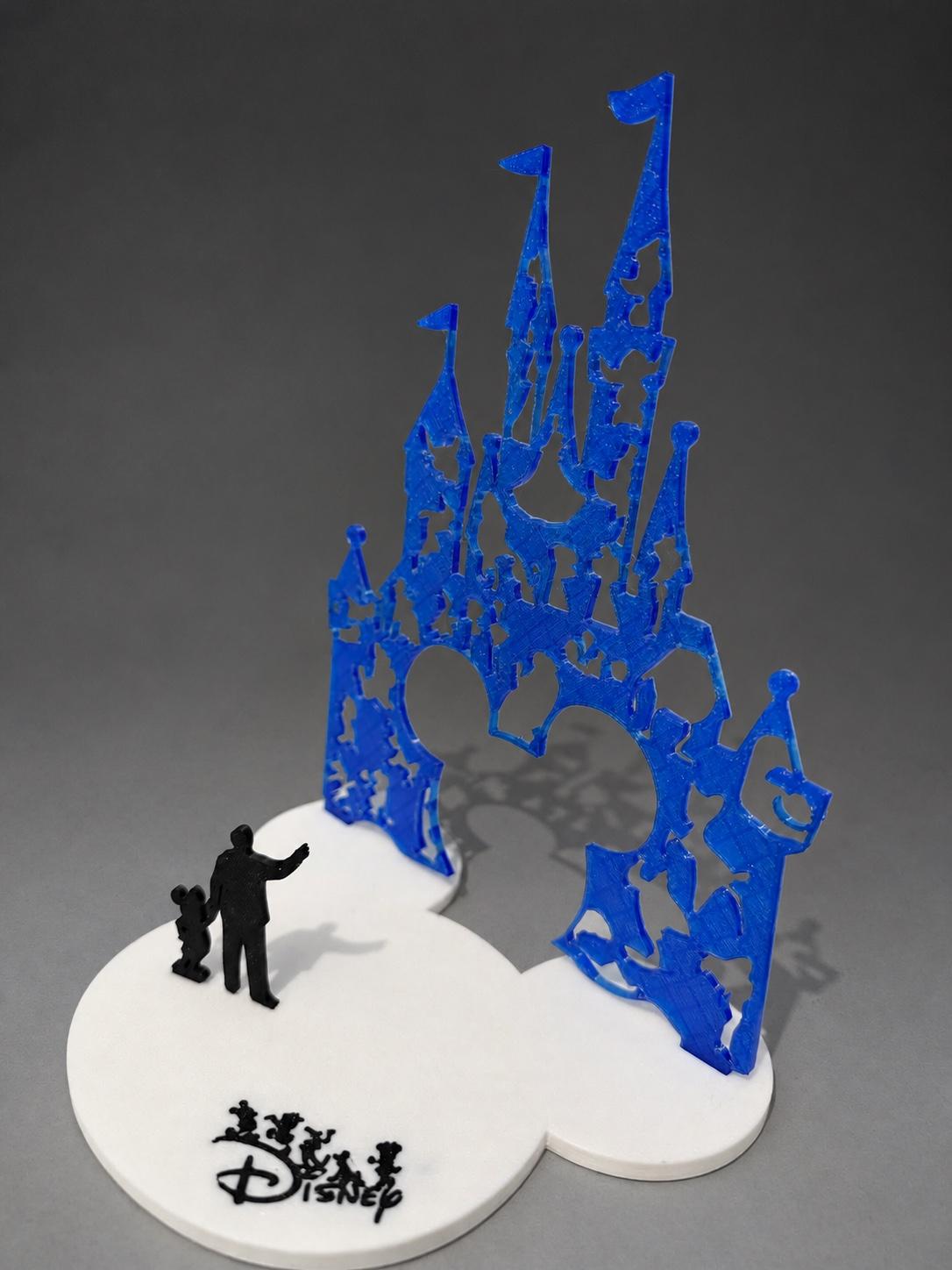
Finding something to print on MakerWorld could hardly be easier. I can browse from Bambu Studio on my Mac or use Bambu Handy on my phone. Compatible profiles remove much of the initial setup, and a model can be sent to the printer without first becoming an expert in every slicer setting.
The phone experience was the part that felt most futuristic. I could find a design while I was out, send it to the printer and use the camera to check its progress. Under the right circumstances, I could come home to the completed object sitting on the build plate. There is still a tiny part of my brain that regards this as some sort of magic.
Before a print, the A1 goes through its familiar routine of movements, taps, vibrations and filament purges. Full-auto calibration, bed levelling and active flow-rate compensation are part of the feature set Bambu advertises for the machine. For a beginner, taking those jobs largely out of my hands made an enormous difference.
The automation is not instant. Preparation and calibration could add a surprisingly long wait before the first proper layer appeared, sometimes around ten minutes in my experience. It also became obvious that a fast printer does not mean fast 3D printing. Objects are still built one thin layer at a time. A small item may be quick, but larger projects take hours and complicated multi-part prints can run for days.
My He-Man sword was a perfect example. The A1 can move at a speed that looks faintly unhinged, but the sword still required several days of back-to-back component printing before I could assemble it. This was not a Star Trek replicator. I was having far too much fun to care.
What more than 500 hours of printing actually looked like
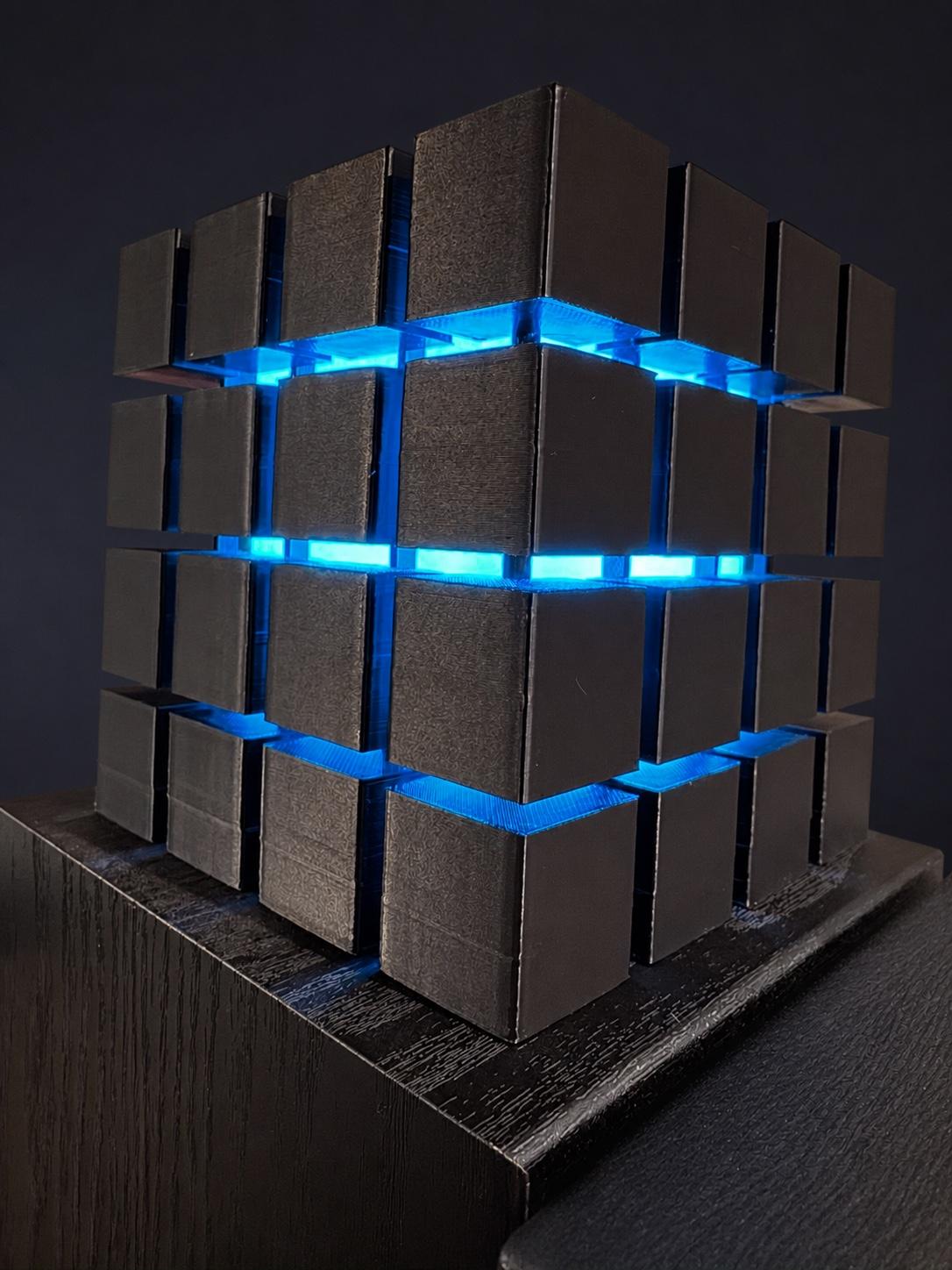
For the first few weeks, there was barely a day when the A1 was not printing. One job would finish and I would already have another waiting. Before long my MakerWorld profile contained more than 200 saved designs that I wanted to try at some point.
Some prints were decorative, some practical and some existed purely because they made me smile. I printed keyrings, ornaments, fidget toys, organisers, lights and parts for around the house. Cube lights I made for my office desk are still used every day. They are a better demonstration of the printer's value than another test model because they became part of my real workspace.
For my daughter's birthday party, I printed a mix of fidget spinners, toys and small gadgets for the party bags. They went down a storm because the children were receiving unusual things they had not seen in every shop. That felt more personal than buying another packet of mass-produced fillers.
I also printed a 3D owl as a birthday gift. The finished quality looked good enough to have come from a shop, and the recipient was amazed when I explained that it had been printed at home. The value was not necessarily saving money. It was being able to make a unique gift instead of buying the same thing as everybody else.
That is the biggest change a printer can make to your thinking. You stop automatically asking where you can buy something and start wondering whether you can make it. With enough imagination, an enormous number of everyday objects become possible projects.
Designing my own keyring made me appreciate MakerWorld even more
You do not need to understand CAD or create models from scratch to get a huge amount from the A1. MakerWorld contains enough shared designs to keep a new owner busy for years. The profiles and community comments are often just as valuable as the models because other users explain the settings, supports or small changes that helped them.
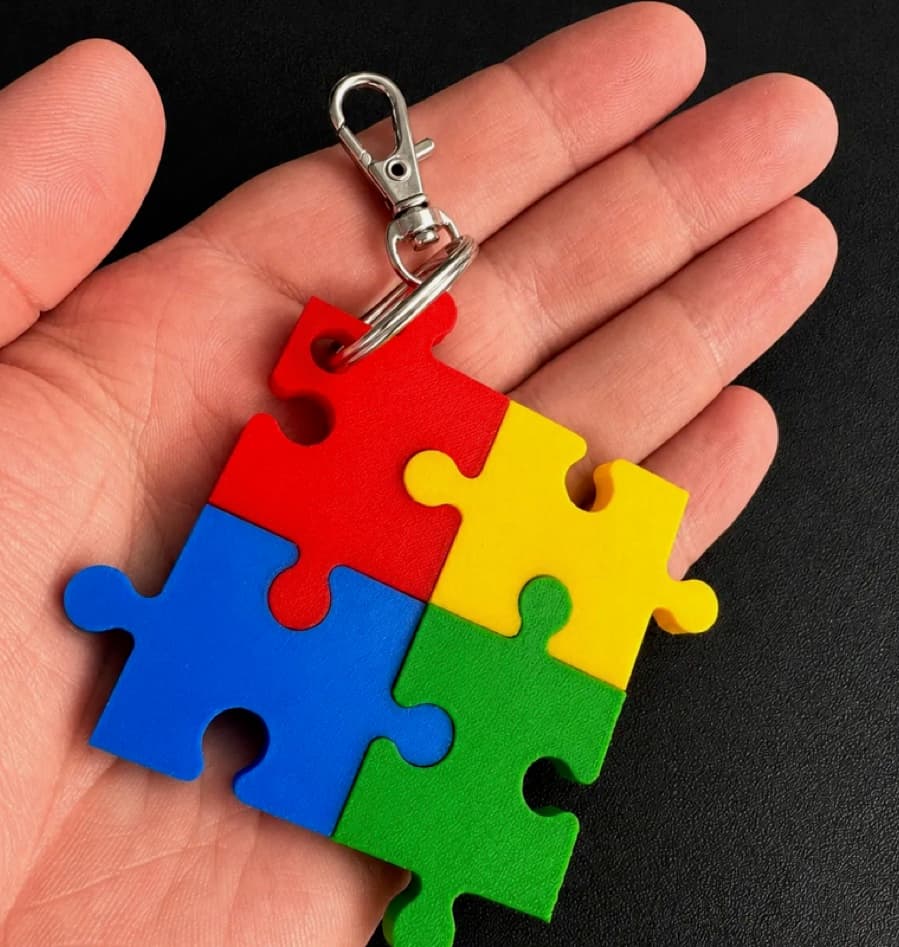
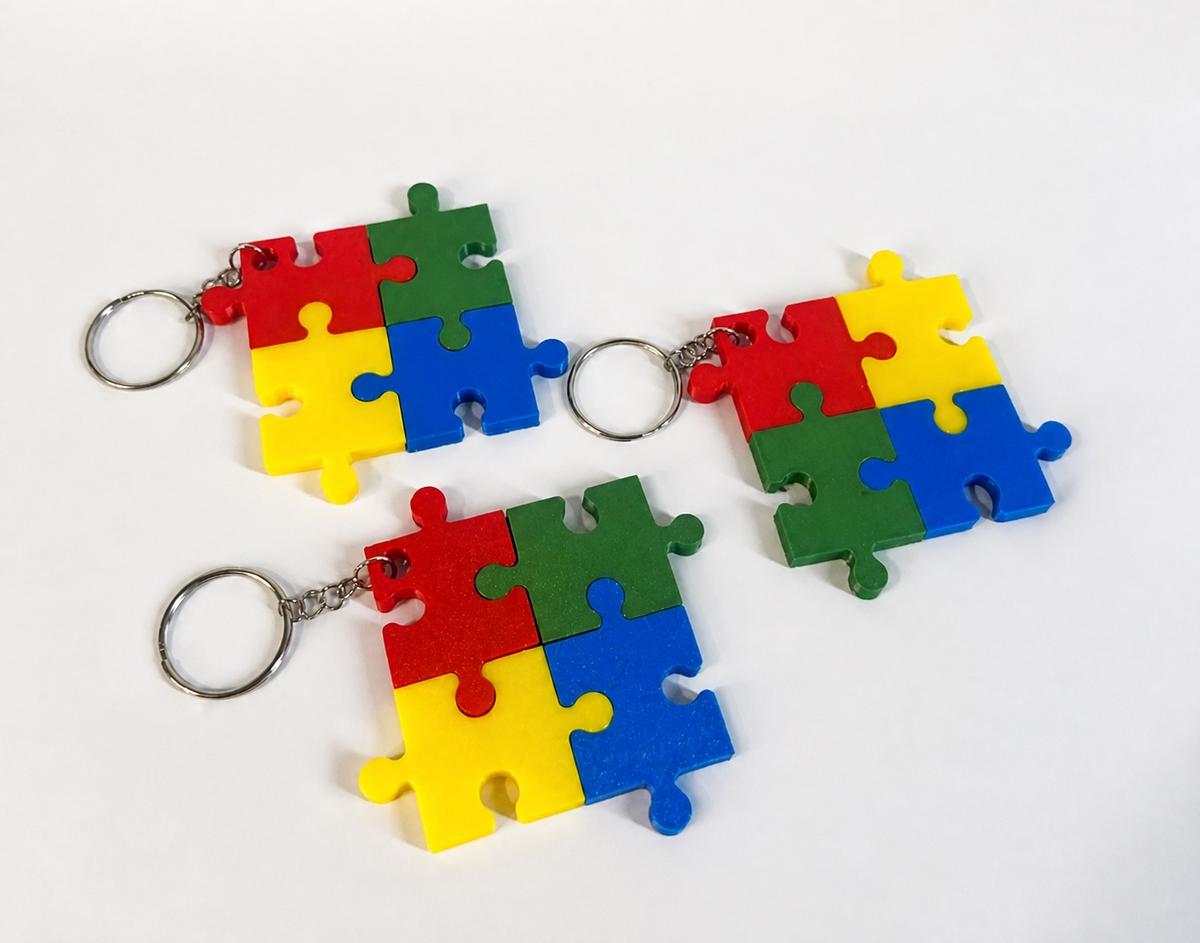
I have dabbled in creating my own designs, including the interlocking autism-themed puzzle keyring shown here. Several pieces fit together into one colourful keyring, and it has become one of my more popular MakerWorld uploads. Seeing other people choose to print something I designed adds another layer of satisfaction to the hobby.
One MakerWorld user was happy enough with their finished keyrings to leave a photograph on the design page. That small bit of feedback sums up what I like about the community: people do not only download files, they share their results, tips and encouragement with the person who made them.
Designing turned out to be much harder than I had hoped. It gave me a much deeper appreciation for the people who create the truly staggering models on MakerWorld. A successful design needs more than the right shape on a screen. Parts have to print cleanly, fit together, tolerate the material being used and work on other people's machines.
The process also taught me to separate printer quality from model quality. A great machine cannot completely rescue a poor design, and a carefully designed object can make a printer look better than it is. That distinction matters when judging the finished objects in any 3D-printer review.
AMS Lite: wonderful colour, long waits and a bin full of waste
The AMS Lite is one of the most enjoyable parts of the Combo. It holds up to four spools and automatically feeds the selected filament through its PTFE tube towards the toolhead. Loading is about as approachable as it could be: place the spool on its holder, feed the end into the intake and let the mechanism take over.
Four loaded filaments mean I can choose between colours without manually unloading a spool every time. More importantly, a prepared model can use several colours within the same print. Watching that happen for the first time is genuinely impressive.
There is an unavoidable catch with a single-nozzle multicolour system. When the A1 changes colour, the previous filament has to be unloaded, the new one fed in and enough material purged to clear the old colour from the nozzle. That excess plastic is deposited beside the printer in little pieces known as printer poop. One of the first practical things an A1 Combo owner should print is a bin to catch it.
A model with dozens or hundreds of changes repeats that process dozens or hundreds of times. The extra loading and purging can add hours, and the pile of waste becomes surprisingly substantial. There are specialist recycling routes and ways to tune purge volumes, but I did not have an obvious practical use for the mixed plastic produced at home. Watching filament I had paid for drop into a bin could feel like watching money being thrown away.
The Combo still offers real value if multicolour printing is central to what you want to make. It is cheaper to buy the AMS Lite as part of the bundle than to add one later. It is not essential, though. A large proportion of my prints deliberately use one filament, and the standalone A1 remains the same capable printer. Buy the Combo because you know why four loaded colours matter to you, not because the bigger bundle feels automatically better.
Print quality, supports and the satisfying snap of a cool build plate

This is my first 3D printer, so I cannot honestly tell you that its output is better than every rival. I can tell you that I have been extremely happy with the best results. Some finished objects looked almost shop-bought, with detail and surface quality that still surprises me.
Other models showed clearer layer lines or rough sections. That is not automatically a failure of the A1. The source model, its orientation, the chosen layer height, speed, supports, wall thickness and filament all affect the result. I also had parts break under strain, but I was usually printing with PLA rather than choosing a tougher material for the job.
Bambu Studio contains an intimidating number of settings. Hovering over many controls provides a basic explanation, and the MakerWorld community often leaves useful model-specific guidance. Even so, the slicer can still feel like a maze. I now understand much more about brims, prime towers, supports, infill and wall thickness, but there are large areas I am still learning.
Supports are temporary scaffolding under sections that would otherwise be printed into thin air. Depending on the model, they can peel away cleanly with an immensely satisfying snap or leave marks and awkward edges. I use snips to tidy rough sections and have used screws and glue to assemble multi-part projects. I generally avoid sanding because it can spoil the original surface finish.
The flexible build plate creates another wonderfully satisfying moment when a finished print releases. I quickly learned not to rush it. Letting the plate cool often allows the object to release on its own and can reduce the risk of the part changing shape while it is still warm. I normally wait now. Most of the time.
The printer is affordable. The hobby can become expensive very quickly
The £319 I paid for the A1 Combo was surprisingly affordable for a machine that could produce this quality and automate so much of the process. Buying the printer was not remotely the end of the spending.
I found generic PLA for around £10 per kilogram, while Bambu and other premium options could be £20 to £30. In my experience there is often a reason for at least some of that difference. Poorly wound cheap filament has snagged while the AMS Lite was feeding it, and some bargain spools did not print as cleanly or predictably as better material.
The four-spool AMS Lite is dangerously good at making another colour feel necessary. I eventually accumulated more than 30 rolls and had to print a shelving system to store them. My advice to a new owner is simple: do not buy every shiny, silk or metallic colour you see. It will probably still exist next month. Buy one or two rolls for the things you are actually planning to make.
Filament storage became another small system to maintain. I bought moisture-absorbing beads, vacuum-sealable bags and an electric pump so that unused spools could be stored away from damp air. That helped me rule out neglected filament as the simple explanation when print quality later deteriorated.
Electricity use became noticeable when the A1 was running for around 12 hours a day, although I did not measure the printer separately and will not invent a precise running cost. Add nozzles, build plates, magnets, screws, glue, failed prints and the occasional component required by a model, and the hobby becomes more expensive than the attractive headline price suggests.
The first serious failure looked like a leprechaun had blown his nose on the toolhead
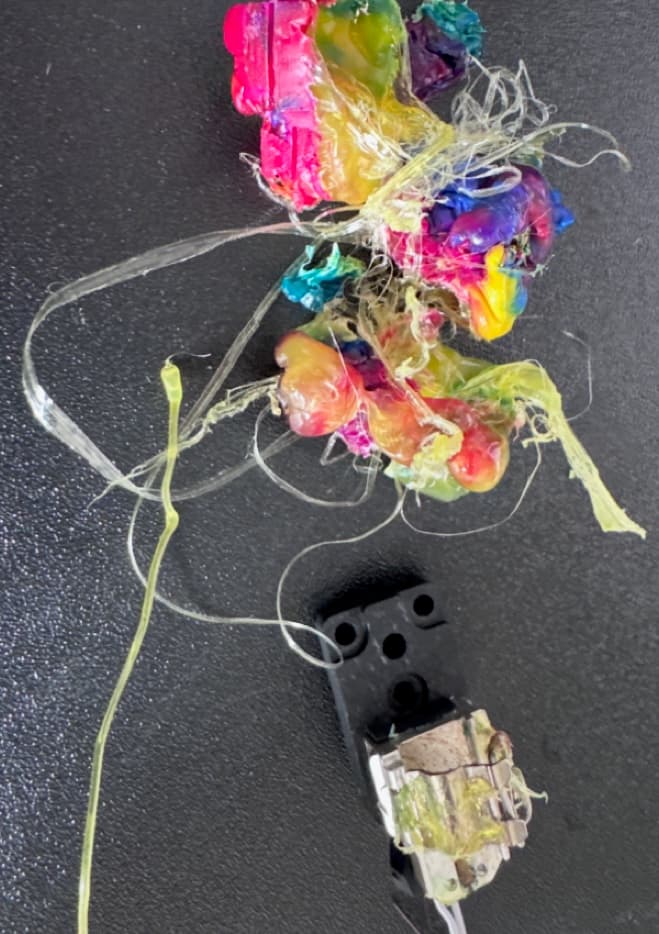
The first failure that felt genuinely serious happened during an unattended print. Filament started clumping around the nozzle and the machine continued until a large part of the front of the toolhead had been enveloped in hot plastic.
I had been printing with rainbow filament. By the time I found it, the result looked as though a leprechaun had blown his nose all over the printhead. It would have been funny if it had not also been an expensive lump of hardened plastic wrapped around the nozzle and pushed further into the assembly.
I had absorbed the wider message that modern Bambu printers were smart enough to catch print trouble, so I expected a failure this dramatic to stop itself. The A1 includes filament run-out, tangle and odometry sensors, but not the X1-style AI spaghetti detection seen elsewhere in the range. Mine did not stop before the blob became destructive.
Removing it meant carefully softening and pulling away plastic and replacing affected hotend-related parts. The printer worked again for a period, but this was the moment my relationship with unattended printing changed. I no longer saw the camera as a convenient extra. I saw it as something I needed to check.
Then one dramatic failure became months of different failures
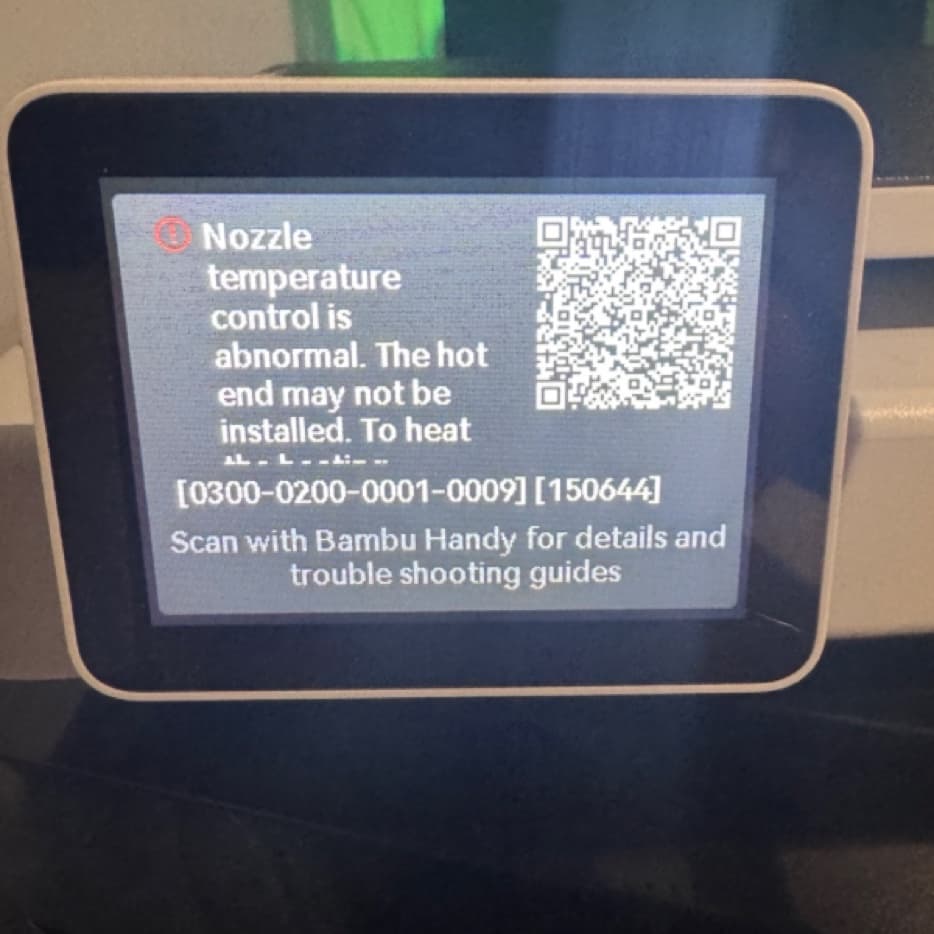
The later problems were harder to pin down because there was no longer one spectacular blob pointing to an obvious cause. The A1 reported nozzle-temperature and hotend-detection errors. Purging became stringy and inconsistent. First layers lifted, extrusion looked wrong and prints failed for reasons that did not always appear identical.
By 15 May I had already tried multiple hotends and nozzles, cleaned the nozzle and build plate, corrected the plate type, used freshly stored filament, rerun levelling and checked first-layer settings. The same fault persisted across different hotends and material, which made a simple dirty plate or poor spool increasingly difficult to accept as the whole explanation.
The error shown here, 0300-0200-0001-0009, became the basis of support ticket US260514979002. My description suggested a fault around the heating assembly, thermistor, toolhead board or its wiring and contacts. Bambu asked for logs, photographs and further checks.
Over the following weeks I tightened and inspected parts, checked cable routing, manually trammed the bed, factory-reset the printer, updated firmware and software, recalibrated it and ran more tests. A replacement heating assembly was proposed even though I had already bought and fitted one. When I asked whether the machine could be inspected or repaired rather than repeatedly dismantled at home, I was told that no repair service was available in my area at that point.
A replacement TH board followed. That meant dismantling the toolhead, disconnecting wiring, removing an electronics board and reassembling everything before another calibration. The printer still produced poor extrusion and another temperature-control failure. Bambu then supplied another heating assembly and USB-C cable under warranty. I made clear that this would be my final reasonable attempt at a customer-led repair.
£128.64 spent trying to diagnose and repair a £319 Combo
Before the warranty process finally took over, I had bought a long list of parts myself. Some were attempts to diagnose the failure, some were replacements after earlier trouble and some were different nozzle options bought while I was trying to understand why the quality had changed.
- 21 March: 0.2mm stainless-steel hotend, £14.99
- 25 March: all-in-one hotends kit, £41.36
- 26 March: two-item order including the heating assembly later referenced in the support ticket, £25.98
- 28 March: 0.8mm hardened-steel hotend, £14.99
- 10 April: AMS Lite filament hub, £9.09
- 14 April: four metres of PTFE tubing, £13.99
- 23 April: A1 filament sensor, £8.24
The total was £128.64. That is more than 40 percent of the £319 I paid for the complete A1 Combo. It does not include failed filament, diagnostic prints, the hours spent dismantling and reassembling the machine or the time it sat unusable while I waited for another answer or another component.
Some of that spending was on different nozzle sizes rather than direct replacements, but all of it happened while I was trying to understand a deteriorating machine. Before support supplied its own parts and a replacement, I had spent £128.64 trying to get back to reliable printing.
By July, maintaining the printer had become the hobby
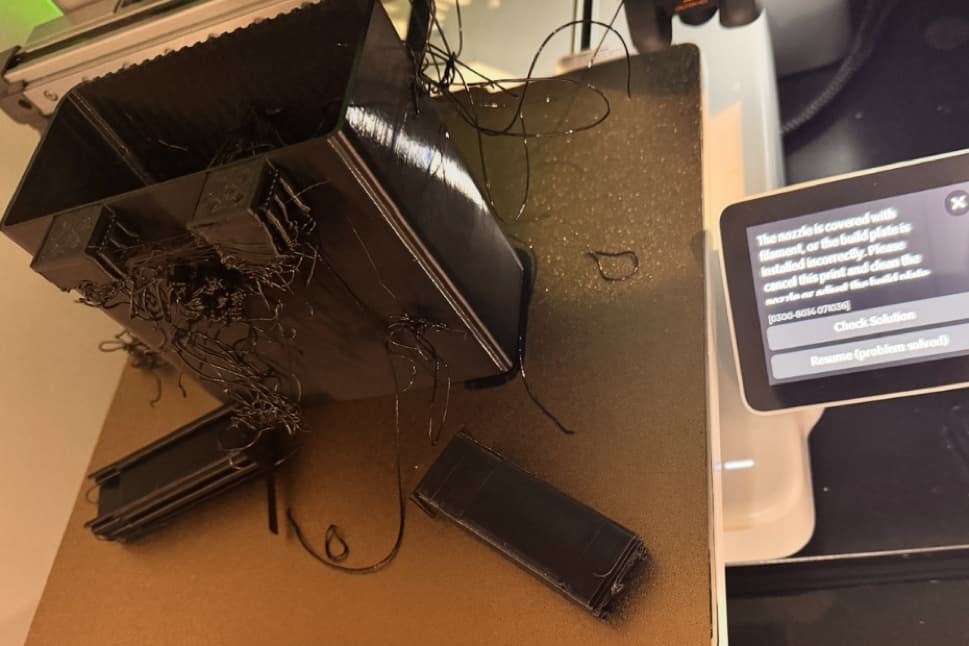
The additional repairs did not produce a lasting resolution. On 7 July the A1 suffered another serious failed print, with dragging filament, detached sections and an error message. By this point the troubleshooting history involved hotends, a heating assembly, filament-feed parts, PTFE tubing, a filament sensor, the TH board, the USB-C cable, firmware, software, resets, calibration and repeated test printing.
Bambu offered a repair, a normal replacement or an advanced replacement. I chose a normal replacement. That should have been the point where the problem moved from diagnosis to resolution.
Instead, the case returned to more tests. Advanced support focused again on the build plate, adhesion and print settings. I agreed to one final non-invasive first-layer check. That particular job completed, although the result still contained poor areas. I repeatedly asked Bambu to honour the replacement it had already offered rather than restart the diagnostic loop.
On 18 July, Bambu finally confirmed the replacement could proceed. Its position remained that the most recent print issues were likely related to the plate or maintenance rather than proof of a continuing hardware fault. I did not need every symptom to share one neat root cause. I needed a printer that could complete ordinary prints reliably after months of parts and troubleshooting.
At the beginning of ownership, Bambu had made the printer disappear into the background so I could concentrate on making things. By July, repairing and diagnosing the printer had become the thing I was making time for.
Bambu support was the weakest part of the entire ecosystem
Products fail. My criticism is not that an A1 developed a fault. It is what happened after the fault became complex and the straightforward fixes had failed.
Responses often took several days. Each new answer could introduce another inspection, photograph, log, calibration or part. That pace turns a week of troubleshooting into a month remarkably quickly. It also leaves the owner carrying the full mental load of remembering what has already been tried, which parts belong to which symptom and what still needs to be reported.
Bambu did provide several components under warranty and ultimately supplied a brand-new replacement A1. Its online repair documentation is usually detailed and clear. Those are real positives and they belong in a balanced account.
The problem was the route required to reach that outcome. From my perspective, support repeatedly favoured the smallest next intervention, usually another task or component for me, rather than taking ownership of a machine with a long and increasingly complicated failure history. Modularity is useful when an owner chooses a simple repair. It becomes something else when access to a working product depends on the customer replacing electronic boards and internal wiring.
The return process created a second avoidable problem. Instructions appeared to describe a drop-off process, but DHL attempted an unarranged home collection on 21 July before the large printer was dismantled and packed. Further collection attempts followed on 22 and 23 July without a mutually agreed date. Bambu later acknowledged the contradictory instructions, uncoordinated attempts and disruption to my working and personal time.
DHL finally collected the packed printer on 27 July and Bambu shipped the replacement on 29 July. I had asked for a goodwill gesture that recognised the service failures separately from the warranty replacement, eventually proposing £100 of Bambu store credit. Bambu declined. Replacing the defective unit was the correct warranty remedy. It did not make the months required to obtain that remedy disappear.
The hidden accessibility cost of customer-led repair
The repair burden affected me in ways that a list of parts cannot show. My autism and ADHD mean that unfamiliar technical work on an expensive device can create an intense combination of anxiety, panic and fear of making a mistake. Long instructions and multiple disconnected steps become harder to process when I am already worried that the last repair may have made the original problem worse.
Replacing ordinary consumables is part of owning a 3D printer. Removing toolhead boards, reconnecting small cables and dismantling structural assemblies felt different. Each repair added another possibility that a new symptom came from something I had done rather than the original fault. That uncertainty made the next diagnostic round even more stressful.
By May I had explicitly told Bambu that I was disabled and not comfortable continuing with electronics and toolhead work. When there was no repair route available locally, the practical options still centred on parts sent to my home. I was close to giving up entirely, not because I no longer wanted to make things, but because trying to recover the machine had become overwhelming.
Accessibility is not only whether a touchscreen has readable labels. It is also what a company asks somebody to do when its product fails. A support process that assumes every customer can safely dismantle electronics, manage a multi-month case and tolerate days between replies is not equally accessible to every owner.
August 2026 update: the replacement restored the quality, not the trust
The replacement A1 arrived at the end of July. This time I had it assembled and printing in roughly half an hour. That was partly confidence and partly the ridiculous amount of experience I had gained by repeatedly stripping down the original machine. I joked that I could probably open a side business repairing A1 printers. There are easier ways to learn a product.
For the most part, the replacement has been considerably better. I have put around 60 hours on it so far, and the quality has returned to the level I remembered from the beginning. That matters because it reassures me that the prolonged decline was not simply bad filament, poor settings, dirty plates or me not knowing what I was doing.
It was not completely trouble-free. The small retaining section at the top of the AMS Lite filament hub, where the four PTFE tubes enter the toolhead, repeatedly separated from the main body. I reported it under the original support case and made clear that I would fit a simple complete replacement hub but would not begin another open-ended cycle of dismantling and diagnostics.
Bambu asked for photographs or video before sending the required part. In the meantime, I printed a bracket that supports the tubes as they enter the toolhead. That has largely stabilised the issue. There is a pleasing irony in solving a weakness in the 3D printer by using the printer to make its own support.
Some of the original excitement has returned. I enjoy choosing models and making things again. What has not returned is the confidence to press Print and forget about it. For a complicated job, I would not normally leave the house. During the day I can find myself checking the camera or walking back to the printer every ten or fifteen minutes.
The replacement gave me back my enjoyment of 3D printing. It did not give me back my trust in the printer or in Bambu Lab support.
Who the A1 is really for
The A1 is light years ahead of the image I had of consumer 3D printing from only a few years ago. I still would not call it a click-and-forget appliance. The best owner is somebody who is reasonably technically minded, enjoys learning and is prepared to troubleshoot the occasional failed model or hardware problem.
That involvement is not entirely a negative. There is something satisfying about nurturing an object into existence, understanding why it worked and making small choices that improve the result. The finished item feels created rather than churned out by another appliance.
A complete beginner can absolutely start with an A1. The setup guides, calibration, MakerWorld profiles and software make the first successful print unusually accessible. The buyer should still understand that slicer settings become deeper, filament needs care, failed prints happen and ongoing costs accumulate.
Someone who wants a machine that requires no learning, no observation and no maintenance should think carefully. The A1 is approachable 3D printing. It is not maintenance-free manufacturing.
My short recommendation remains: it is a great printer, but do your research first. Understand the cost of filament and accessories, be honest about your appetite for troubleshooting and consider how much patience you would have if you needed Bambu support.
Would I buy another Bambu Lab printer? That is where this becomes difficult
If I judged only the printing experience, the A1 would make a strong case for staying within Bambu's ecosystem. The software, model library and automatic material handling work together unusually well. I have learned exactly which features I would want from an upgrade, including an enclosure, a better camera and a dual-nozzle approach that can reduce some of the delay and waste created by repeated filament changes.
Bambu's X2D is the sort of machine that would attract me on hardware alone. Its dual-nozzle system and enclosed, filtered design answer several of the limitations I now understand after living with the A1. The trouble is that I do not think I would buy another Bambu Lab printer after this support experience.
That is not because the A1 convinced me Bambu makes poor printers. When healthy, the A1 is exactly why this decision is difficult. It is because I do not think I could willingly put myself through the same support process if another machine developed a serious fault.
It leaves an uncomfortable question rather than a neat recommendation. If one of the companies that has done so much to make consumer 3D printing approachable could leave me this exhausted when something went wrong, how confident would I feel starting again elsewhere? I cannot promise another manufacturer would handle it better. What has changed is my willingness to take that risk again.
The final Bloke Score is 3.8 out of 5. The printer itself is doing most of the work required to keep the number that high. Without the enjoyment, quality and creative possibilities it delivers when healthy, the complete ownership experience would be much closer to 3 out of 5.
The A1 earns 3.8 despite my support experience, not because of it.
What worked
- Excellent print quality when the machine is healthy
- A genuinely approachable first printer
- MakerWorld makes finding useful and entertaining projects unusually easy
- Bambu Studio and Bambu Handy work well together
- Full-auto calibration removes much of the intimidating initial setup
- AMS Lite makes four-colour and multi-filament printing accessible
- Straightforward routine maintenance prompts and strong online guides
- A large, helpful owner and designer community
- Good value at the £319 price I paid for the Combo
- Changed the way I think about making, repairing and personalising everyday objects
What I would change
- My original A1 became effectively unusable after repeated faults
- The support process was slow and stretched across several months
- Customer-led repairs extended into electronic boards, wiring and internal assemblies
- No local hands-on repair route was available when I asked for one
- The return involved contradictory instructions and repeated uncoordinated collection attempts
- I spent £128.64 on diagnostic and repair-related parts before the case was resolved
- Single-nozzle multicolour printing creates substantial purge waste and extra time
- The camera is adequate for checking a job, but basic
- The replacement developed an AMS Lite hub-retention problem
- The complete experience has left me unwilling to trust complicated prints unattended